


Proud Partner of
Michigan State Athletics
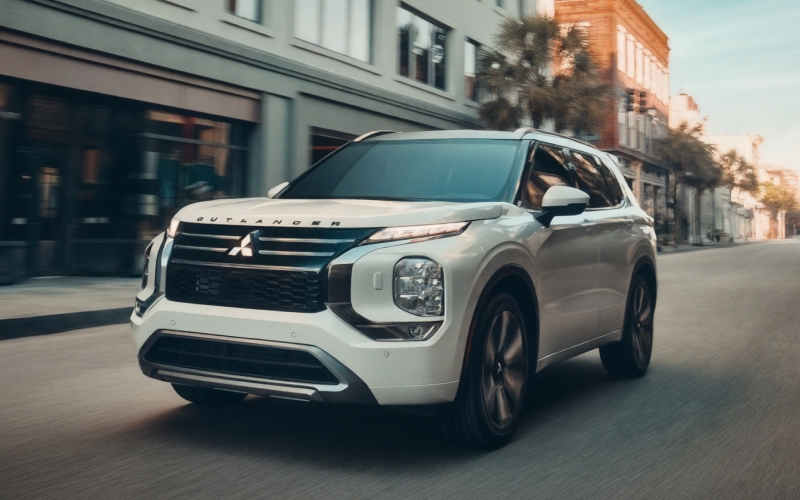
LaFontaine Mitsubishi Lansing – How do I connect my phone via Bluetooth® in a 2026 Mitsubishi Outlander near East Lansing, MI?
If you are considering a 2026 Mitsubishi Outlander around East Lansing, MI, you are likely asking how effortlessly it connects with your phone for calls, music, and navigation. Reliable Bluetooth® pairing is more than a convenience in Michigan—hands-free is simply the safer, smarter way to navigate Grand River Avenue, drop off on the Michigan State University campus, or commute along US-127 and I-496. Here is a clear, local-ready guide to how the 2026 Outlander handles phone connectivity and how to make the most of it day one.
What the 2026 Outlander includes for everyday connectivity
The 2026 Outlander is designed to keep you connected without extra steps or cables. Wireless Apple CarPlay® and Wireless Google Android Auto® come standard, giving you app-based navigation, messaging, and streaming without plugging in. Bluetooth® also pairs quickly for hands-free calling and audio streaming on every trim. And the 12.3-inch Smartphone-link Display Audio with Navigation helps you see menus and pairing prompts clearly so setup takes just a minute or two.
A quick note for clarity: Bluetooth® handles calls and basic audio streaming, while Apple CarPlay® and Android Auto™ bring your compatible navigation, messaging, and media apps to the vehicle’s screen. Many East Lansing shoppers prefer using wireless Apple CarPlay® or Android Auto™ daily, with Bluetooth® as a reliable backup for phone calls and music when apps are not needed.
Quick start: pair your phone with Bluetooth® in the 2026 Outlander
- Start your Outlander and keep it in Park. On the center display, select Settings, then tap Bluetooth Devices or Connections, and choose Add New.
- On your phone, open Bluetooth settings and ensure Bluetooth is on. Wait for your vehicle to appear—look for OUTLANDER or a similar name on your phone’s device list.
- Select OUTLANDER on your phone, confirm the on-screen PIN matches on both your phone and the Outlander display, and accept pairing prompts.
- Allow access to contacts and messages if prompted. This enables clear caller ID and voice-to-text features when supported by your device.
- On the Outlander screen, set your phone as the primary or priority device if you share the vehicle. This ensures faster automatic reconnection when you start driving again.
That is it. From here, your Outlander will typically reconnect automatically when you return—ideal for quick runs down to downtown East Lansing, dinner on Albert Avenue, or practice drop-offs at Frandor and Lake Lansing Park.
Bluetooth® or wireless apps—what should you use when?
Think of Bluetooth® as the universal foundation—great for hands-free calls and streaming from nearly any modern smartphone. Wireless Apple CarPlay® and Wireless Google Android Auto™ add your compatible apps on-screen with voice support. If you want turn-by-turn directions on the display or to reply to messages by voice, use wireless Apple CarPlay® or Android Auto™. If you just want to stream a podcast across the Lansing River Trail or take a quick call on Hagadorn Road, standard Bluetooth® does the job perfectly.
Because the 2026 Outlander supports wireless Apple CarPlay® and wireless Android Auto™, there is no routine cable plugging necessary. If you ever prefer a wired connection, a USB cable can still be used to charge or to make a first-time setup smoother on some phones.
Local-ready ways to use Bluetooth® day to day
Once you are paired, you can streamline common tasks without distraction. These examples reflect how our East Lansing customers typically benefit from quick, reliable pairing:
- Hands-free calls: Keep both hands on the wheel when dialing into a study group, client call, or family check-in.
- Turn-by-turn audio: Even without on-screen apps, audio cues from your preferred navigation app play over the speakers.
- Multiple drivers: Set a primary phone for the household and add a secondary profile so the right phone reconnects first.
- Garage and parking ramps: The system stays connected through most campus garages and downtown parking structures, so you can finish calls clearly.
We see a lot of households around MSU mixing iPhone and Android devices. The Outlander manages multiple devices gracefully, and you can prioritize who connects first—handy if you switch drivers between East Lansing and Okemos.
Troubleshooting tips if pairing takes longer than expected
If pairing stalls or reconnecting takes longer than a few seconds, these quick checks typically solve it before you get to Trowbridge Road:
- Clear old profiles: On the Outlander screen, remove unused devices; on your phone, remove any old “OUTLANDER” entries, then retry pairing fresh.
- Restart both sides: Power cycle your phone and shut the vehicle off fully, open and close the driver door, then restart and reattempt pairing.
- Enable permissions: On your phone’s Bluetooth settings for OUTLANDER, ensure Phone, Contacts, and Audio toggles are allowed.
- Disable competing connections: If your phone is auto-connecting to earbuds or a smartwatch, temporarily turn those off during the first pairing.
- Try a USB setup: For some Android devices, connecting a USB cable once can speed up initial recognition, then you can switch to wireless.
- Update software: Ensure your phone’s OS is current; if issues persist, our service team can check for vehicle software updates.
If you would like us to walk you through pairing in person, our team can do it with you during a test drive or delivery. We can also demonstrate how Bluetooth® interacts with the available Dynamic Sound Yamaha® Premium and available Dynamic Sound Yamaha® Ultimate systems so your calls and audio sound crisp and balanced.
Frequently Asked Questions:
Does Bluetooth® work if I do not enroll in Mitsubishi Connect?
Yes. Bluetooth® pairing for calls and streaming is separate from Mitsubishi Connect with Safeguard And Remote Services. You can use Bluetooth® without enrolling in the app. If you do choose to enroll in Mitsubishi Connect, you gain additional remote and safety features that operate alongside your phone’s connection.
How many phones can I pair with the 2026 Outlander?
You can store multiple devices and set a priority device so it connects first. If more than one paired phone is in the vehicle, the Outlander connects to the priority phone by default. You can switch active devices quickly from the Bluetooth Devices menu on the center display.
Do I need a cable for Apple CarPlay® or Android Auto™ in the 2026 Outlander?
No. Wireless Apple CarPlay® and Wireless Google Android Auto™ are standard on the 2026 Outlander. A USB cable can still be used for charging or, with some devices, for an initial setup if you prefer.
Will my phone reconnect automatically every time?
In most cases, yes. Once paired and set as the priority device, your phone should reconnect within a few seconds of starting the Outlander. If it does not, confirm Bluetooth is active on your phone and that it is not already connected to another audio device nearby.
Can Bluetooth® affect call quality at highway speeds?
Call clarity depends on cellular signal and background noise. The 2026 Outlander uses built-in microphones and audio processing to help keep voices clear. If you notice noise on I-496 or US-127, closing windows and reducing fan speed can help; you can also check your phone’s noise reduction settings.
At LaFontaine Mitsubishi Lansing, we want your 2026 Outlander to feel seamless from the first time you sit inside. If you are shopping near East Lansing, MI, stop by our showroom—just minutes from campus—and we will pair your phone, set your priority device, and show you how wireless Apple CarPlay® and Android Auto™ work on the 12.3-inch Smartphone-link Display Audio with Navigation. We can also demonstrate safety and convenience features you may be considering, like the Multi-View Camera System or MI-PILOT Assist™ on select trims.
Ready to experience how smoothly the 2026 Outlander integrates with your daily life around East Lansing? Visit us at LaFontaine Mitsubishi Lansing for a personalized demo and test drive. We will help you set up Bluetooth®, tailor the system to your household’s devices, and make sure you leave connected and confident.
Request more 2026 Mitsubishi Outlander information

